Building the Asset Layer Creator Hub
Turning apps into living ecosystems, for the developers who run them and the creators who feed them.
- Client
- Asset Layer
- My role
- Lead designer
- Tools
- Figma, Mixpanel, Zoom for user testing
- Also available
- PDF version with demo videos

The short version
About a minuteThe problem
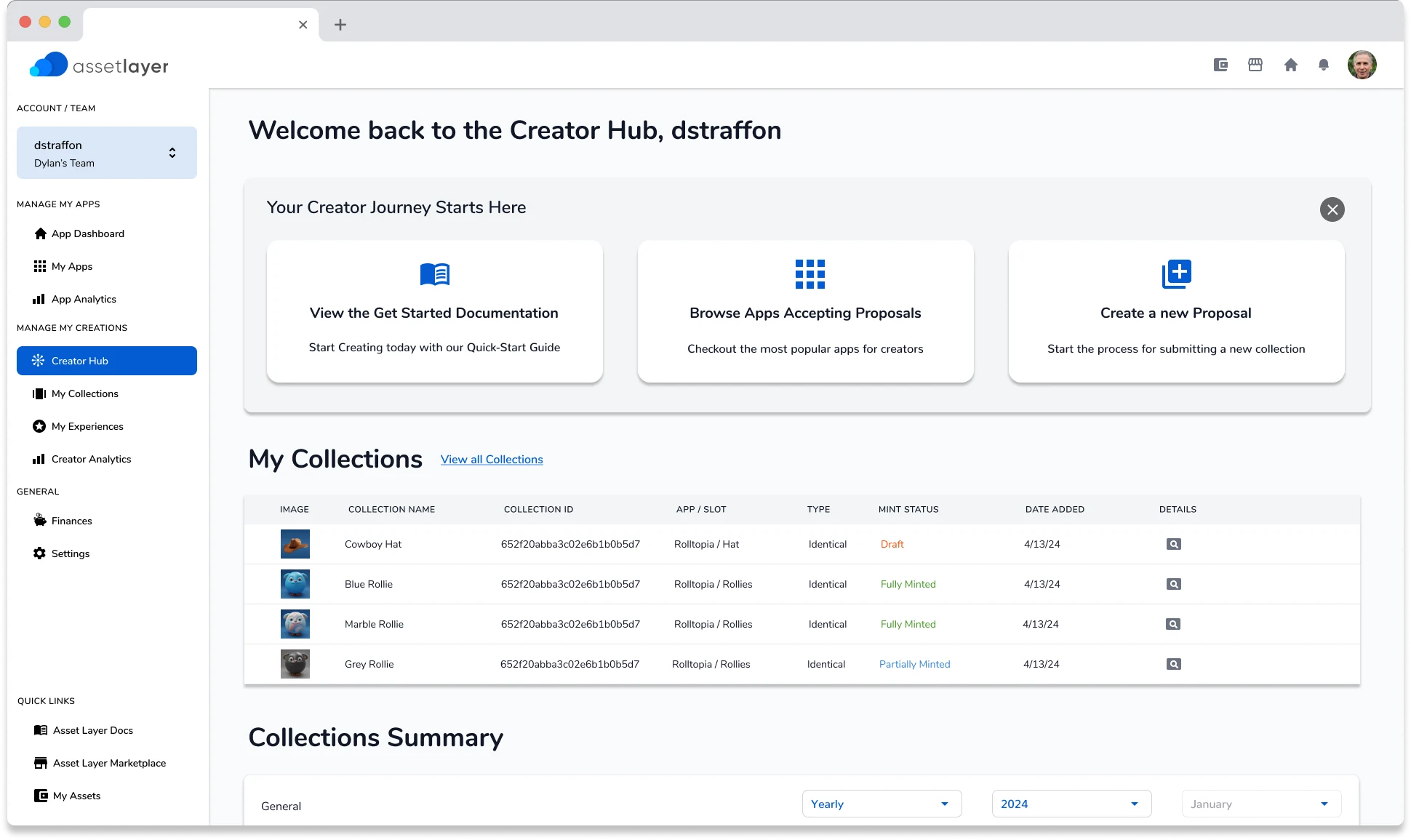
Asset Layer helps developers turn their apps, usually games, into ecosystems with exchangeable assets. It needed a Creator Hub: one place for creators to submit, manage and track what they contribute. The platform has a lot of features, and the interface had to work for two different groups at once, the developers who own apps and the independent creators who make things for them.
What I did
I designed a dashboard that works as a home base, a step by step submission flow, and a review system that leaves developers in charge of what enters their game. Before committing, I studied how Steam Workshop, Roblox and Epic handle creator content. We built the components in Figma, tested quickly, and stayed close to the developers so that everything we drew could be shipped.
The result
The hub went from first concepts to high fidelity designs in a few sprints. In the weeks after launch, the total number of apps on the platform grew 10x.
That’s the essential part. The full case study has 6 more sections on research, process and design decisions.
What the heck is an Asset Layer?
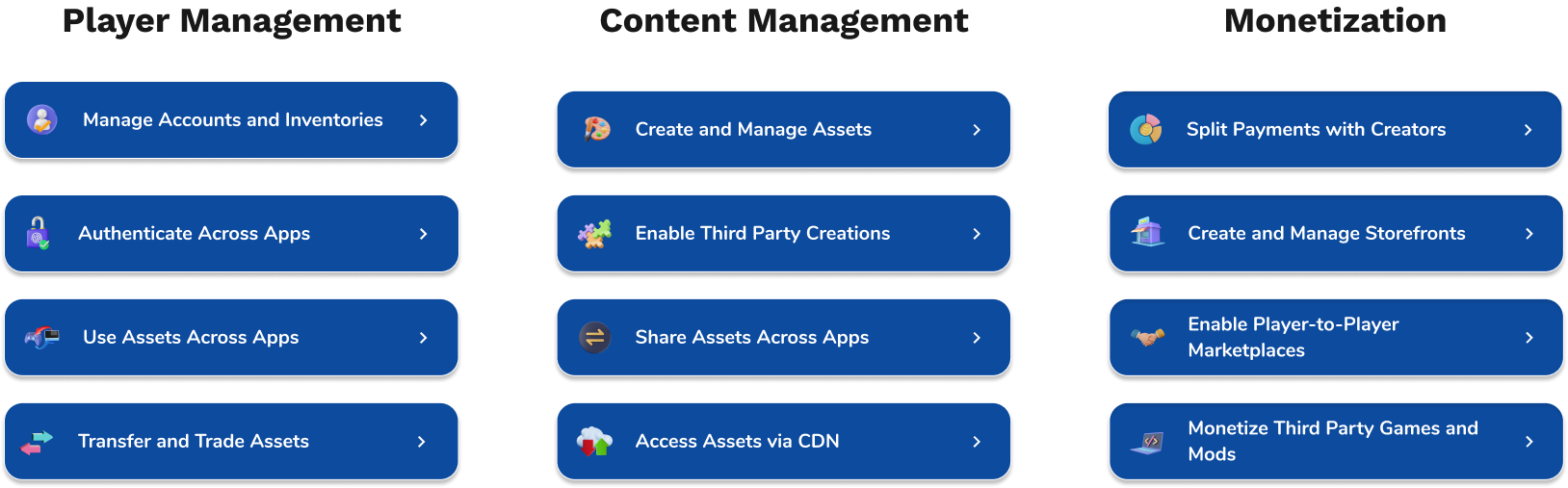
App development has traditionally been a closed loop: developers create content and players consume it. Asset Layer set out to change that. It helps developers grow their apps into full ecosystems with exchangeable assets, which improves retention, monetization and user acquisition.
A Creator Hub was the missing piece. The platform had a broad feature set, so the hard part of a Creator Hub was an interface that developers and independent creators could both use to work together.
Who are the stars of our show?
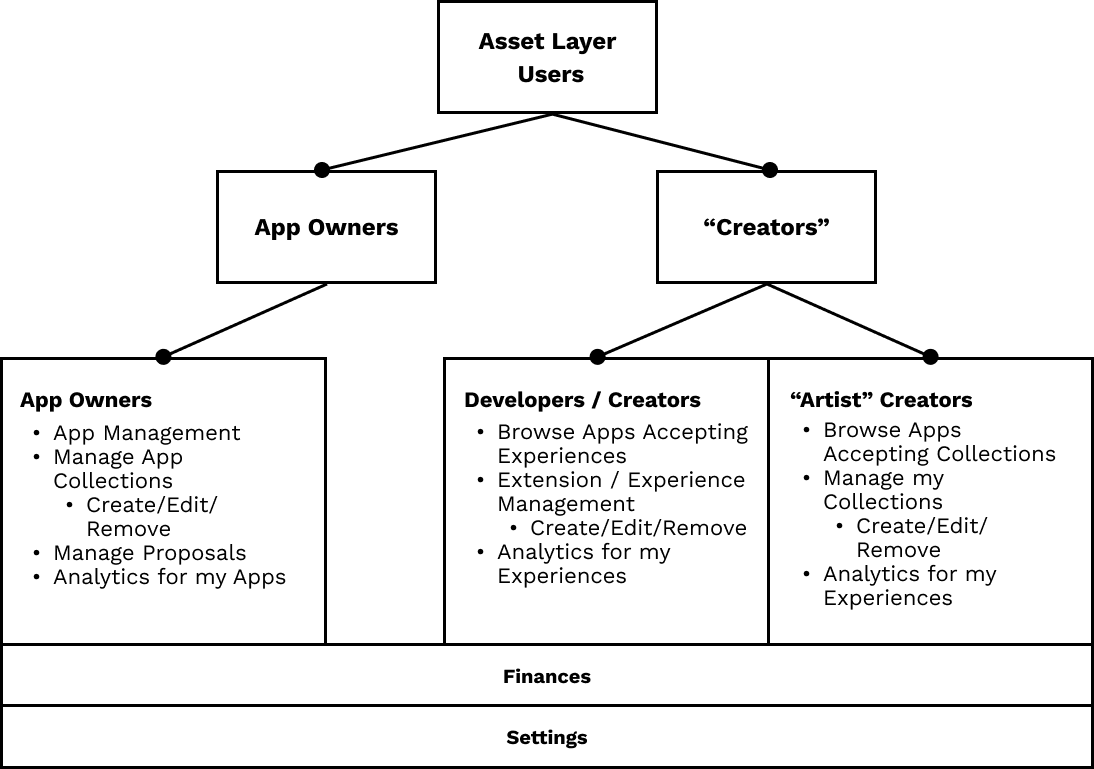
To get the right tools to the right people, we had to know who they were. Asset Layer’s users fall into two groups.
App owners
The developers building and managing games on the platform. They needed:
- A way to curate and approve third party content.
- A simple process for integrating creator assets into their games.
- A system for managing several applications efficiently.
Creators
People contributing assets, artwork and extensions to games. They needed:
- A submission process with as little friction as possible.
- Clear tracking of approval status and feedback from game developers.
- Easy access to resources and documentation.
Creators split again into developers, who build mods and extensions, and artists, who submit assets and collections. A collection is a group of assets that can be identical or unique.
Designing the experience
With the two groups understood, we mapped the core experience. The goal was to remove barriers to taking part.
A home base for creators
The dashboard gives an at a glance view of three things: guides and tutorials for getting started, the projects a creator is contributing to, and recent activity such as submitted assets, approvals and pending actions. A first time creator and a regular contributor can both find their way around it.
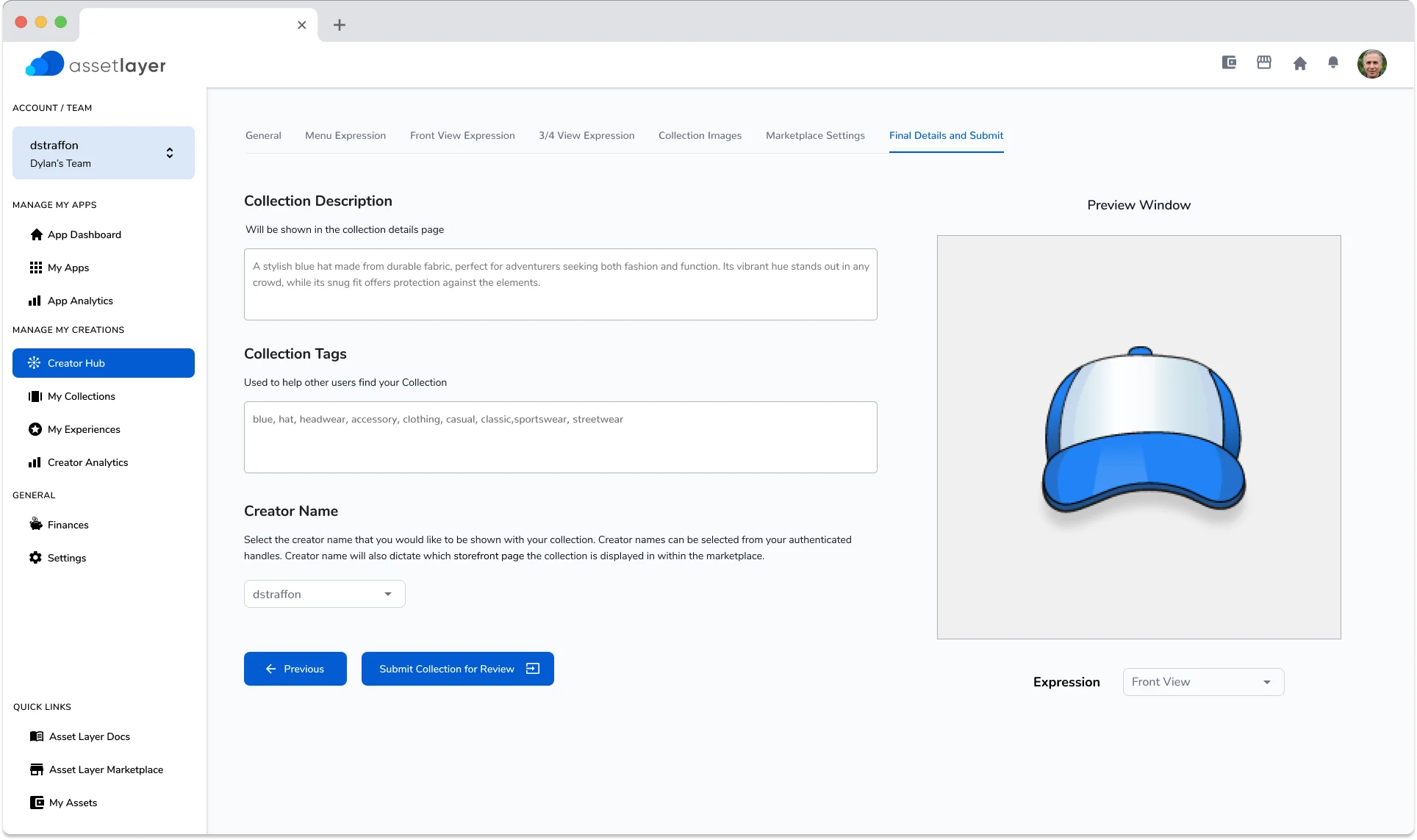
A simpler submission process
Creators upload assets in several formats, categorize them, and add metadata and descriptions for the developer, one step at a time. More creators could take part because there was less to learn.
Developers stay in control
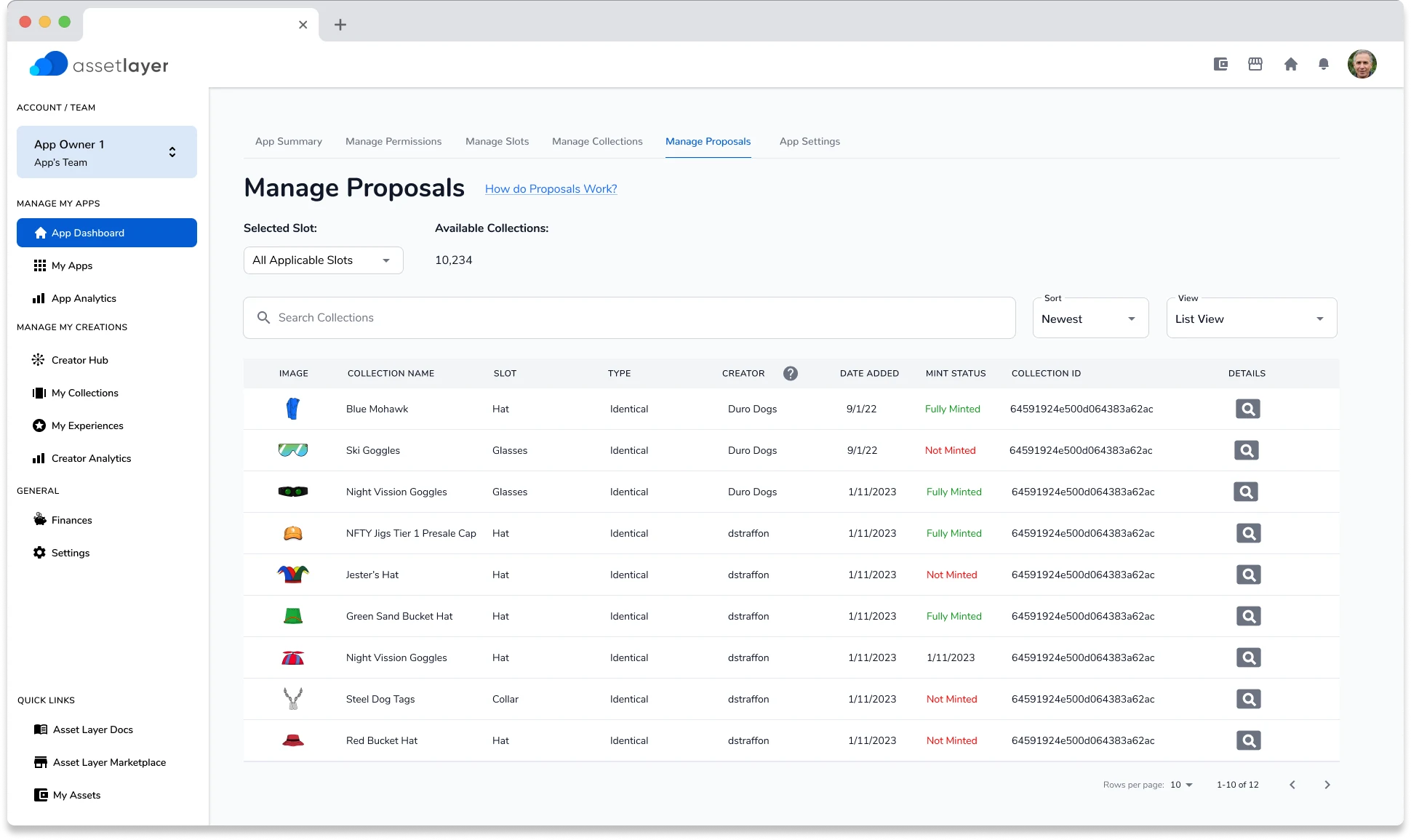
Developers decide what gets added to their games. The hub gives them a review and approval system for accepting or rejecting submissions, messaging for direct feedback to creators, and a content library for browsing and managing third party assets.
Designing with efficiency
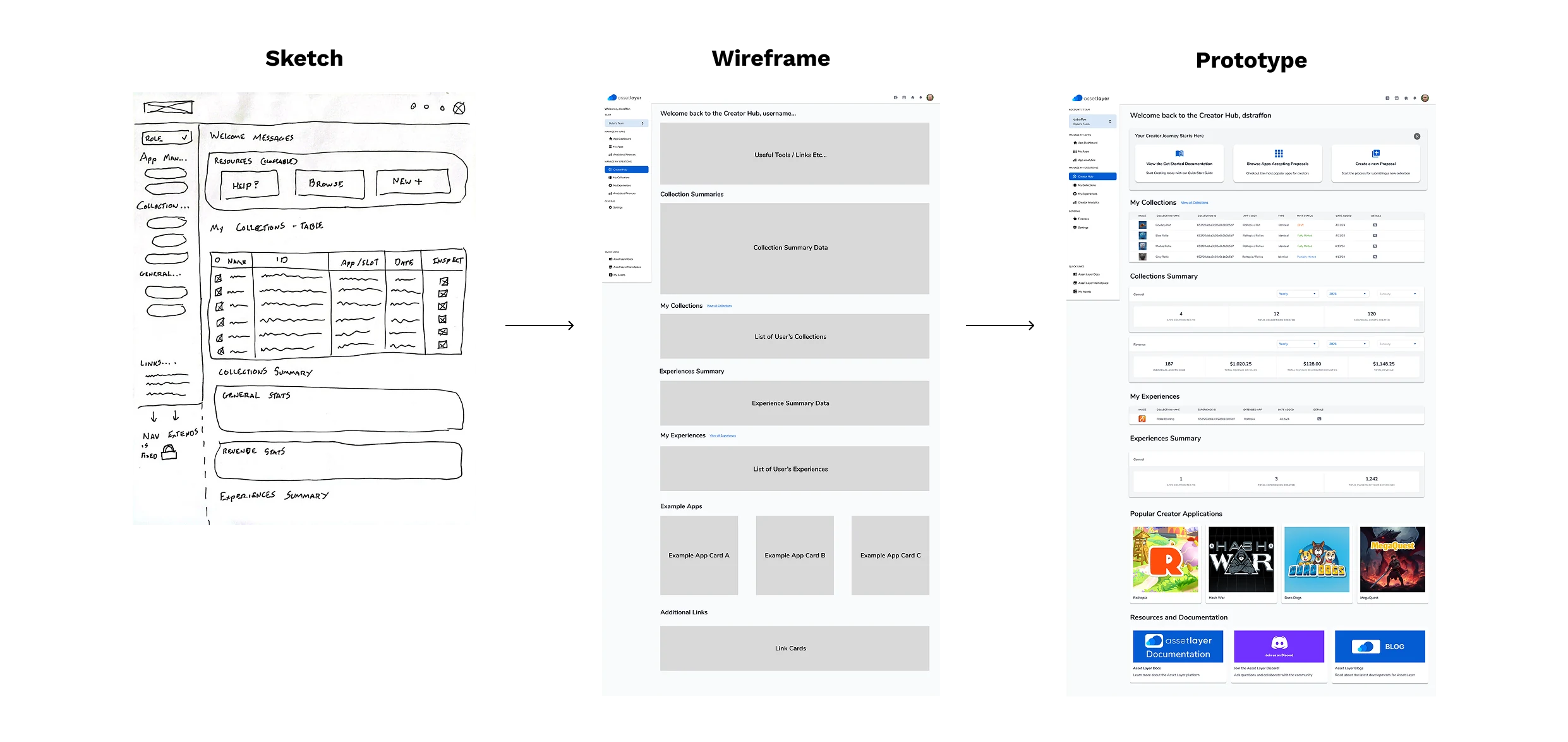
Asset Layer was a startup with limited time and people, so the design had to last. That meant lightweight layouts that hold up across devices and resolutions and leave room for future features, Figma components we could build and test quickly, and close work with developers to make sure everything was feasible.
We moved fast and adjusted based on what real testing showed us.
Learning from existing platforms
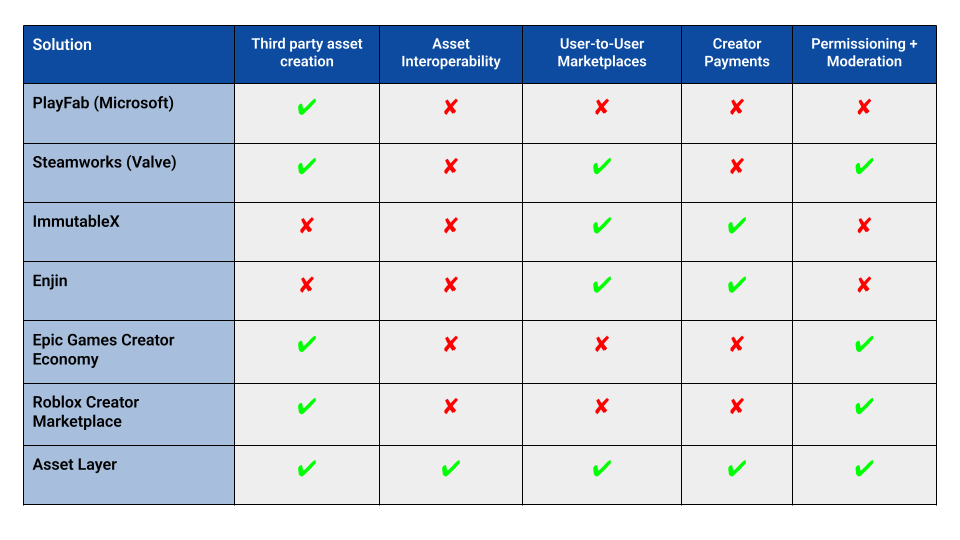
Before settling on an approach we looked at the user generated content platforms already out there. Three of the main ones:
- Steam Workshop is a well established marketplace for modders, but integration is complex for developers.
- Roblox Creator Marketplace has a large creator community, but it only works with Roblox’s own engine.
- Epic Games has strong incentives for creators, but no central dashboard for tracking contributions.
The Creator Hub differs on multi game compatibility, low friction submissions, and direct collaboration between developers and contributors. My extended research findings are in Figma.
How’d we do, and what’s next
In a few design sprints the hub went from initial concepts to high fidelity designs. After it shipped we saw a large uptick in users, and the total number of apps on the platform grew 10x in the following weeks.
Apps on the platform could keep getting new community made content, and artists could contribute to games directly.
With the foundation in place, Asset Layer was exploring support for more content types, ways for creators to earn money, and further simplifying how developers and contributors work together.